This guide details known errors that can occur when using the WildObs Image Platform Nextcloud for media transfer.
TABLE OF CONTENTS
How to organise your media files on Nextcloud
"Unknown error during upload" when adding folders to Nextcloud
"Upload directory" for Nextcloud uploads does not appear when adding/editing a deployment
How to organise your media files on Nextcloud
Only top-level folders containing media files should be uploaded to the WildObs Image Platform Nextcloud.
Each folder should contain all the media files for a single deployment because only one folder can be selected for each deployment.
Attempting to upload folders with sub-folders of images may cause an error.
✅ Ensure all images for a deployment are in a single, top-level folder: | ❌ Images organised into sub-folders may cause an error: |
Nextcloud: ├───Test_Deployment (top-level folder) │ ├───IMG1001.JPG │ ├───IMG1002.JPG │ ├───IMG1003.JPG │ ├───IMG2001.JPG │ ├───IMG2002.JPG │ ├───IMG2003.JPG │ ├───IMG3001.JPG │ ├───IMG3002.JPG │ └───IMG3003.JPG | Nextcloud: ├───Test_Deployment (top-level folder) │ ├───Day_1 (sub-folder) │ │ ├───IMG1001.JPG │ │ ├───IMG1002.JPG │ │ └───IMG1003.JPG │ ├───Day_2 (sub-folder) │ │ ├───IMG2001.JPG │ │ ├───IMG2002.JPG │ │ └───IMG2003.JPG │ └───Day_3 (sub-folder) │ ├───IMG3001.JPG │ ├───IMG3002.JPG │ └───IMG3003.JPG |
If images organised into sub-folders do upload successfully, please note that only one folder can be added to a deployment. In the example above, Day 1, Day 2 and Day 3 would all need to be added as separate deployments.
"Unknown error during upload" when adding folders to Nextcloud
When uploading to the WildObs Image Platform Nextcloud via web browser, an error message "Unknown error during upload" appears and files selected are not uploaded:
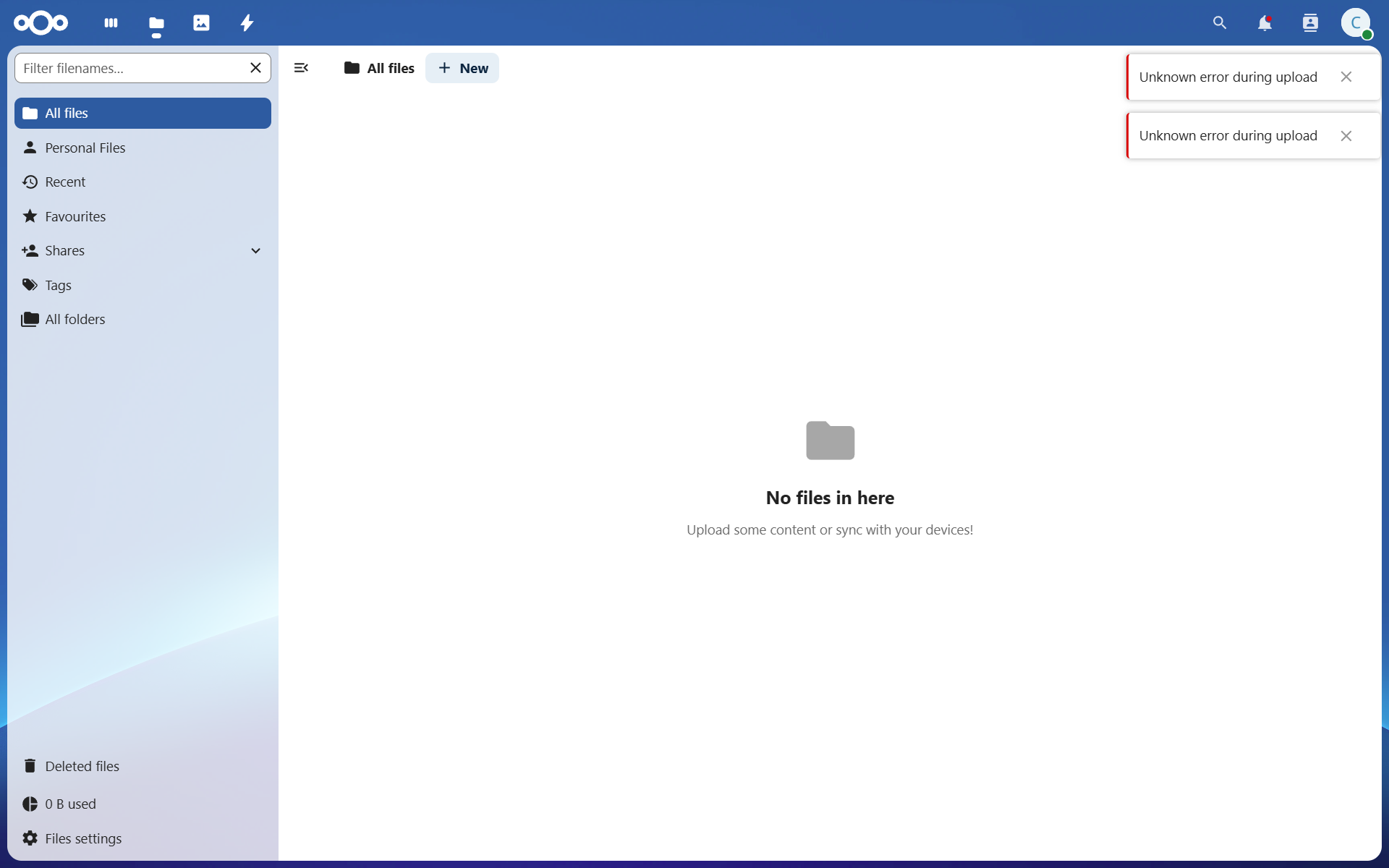
This error may occur if you have tried to upload a folder that has sub-folders.
"Upload directory" for Nextcloud uploads does not appear when adding/editing a deployment
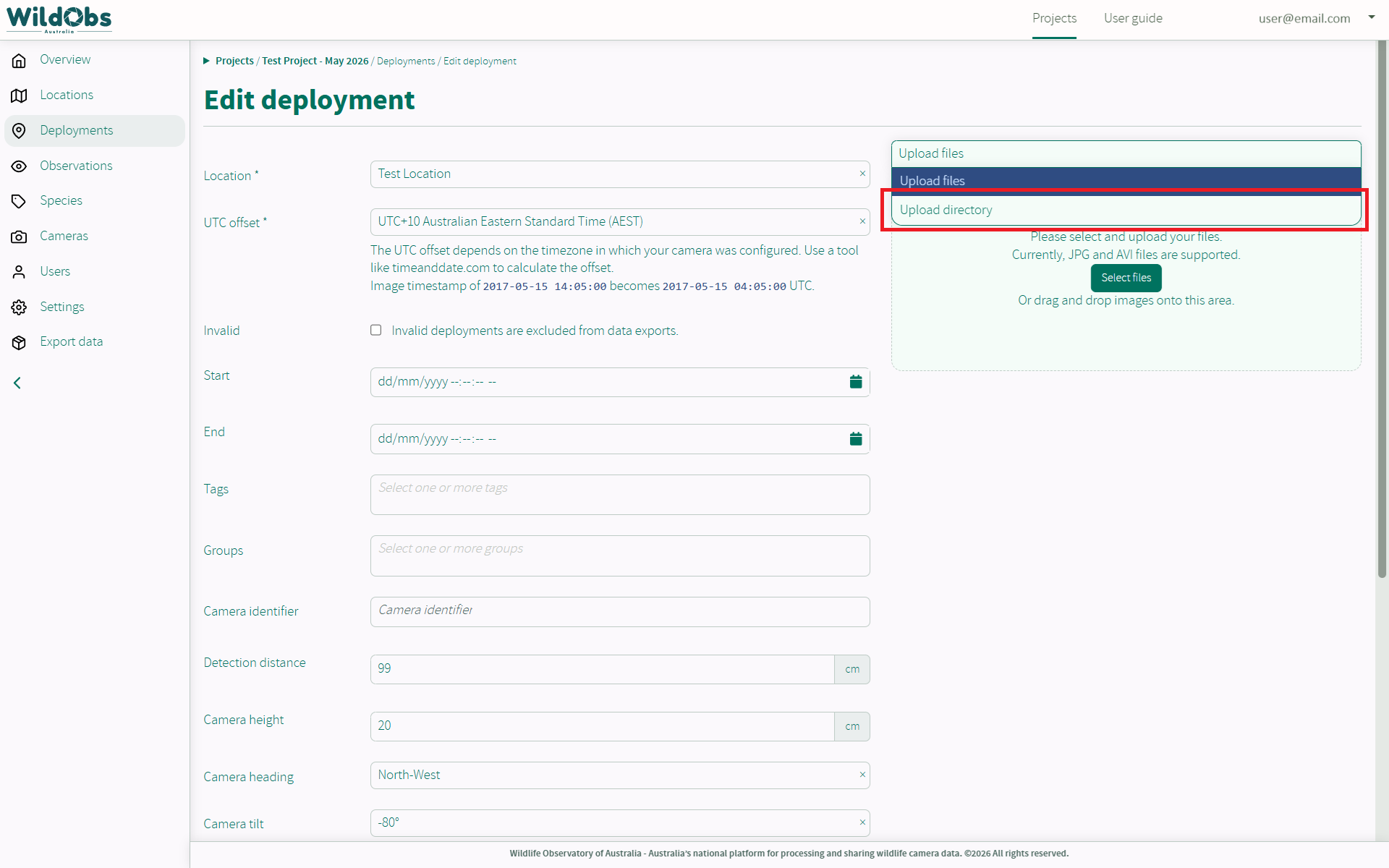
When adding or editing a deployment, if Nextcloud is connected and files have been uploaded, it is expected that "Upload directory" appears as an option when clicking "Upload files".
✅ Expected options:
❌ "Upload directory" is not an option:
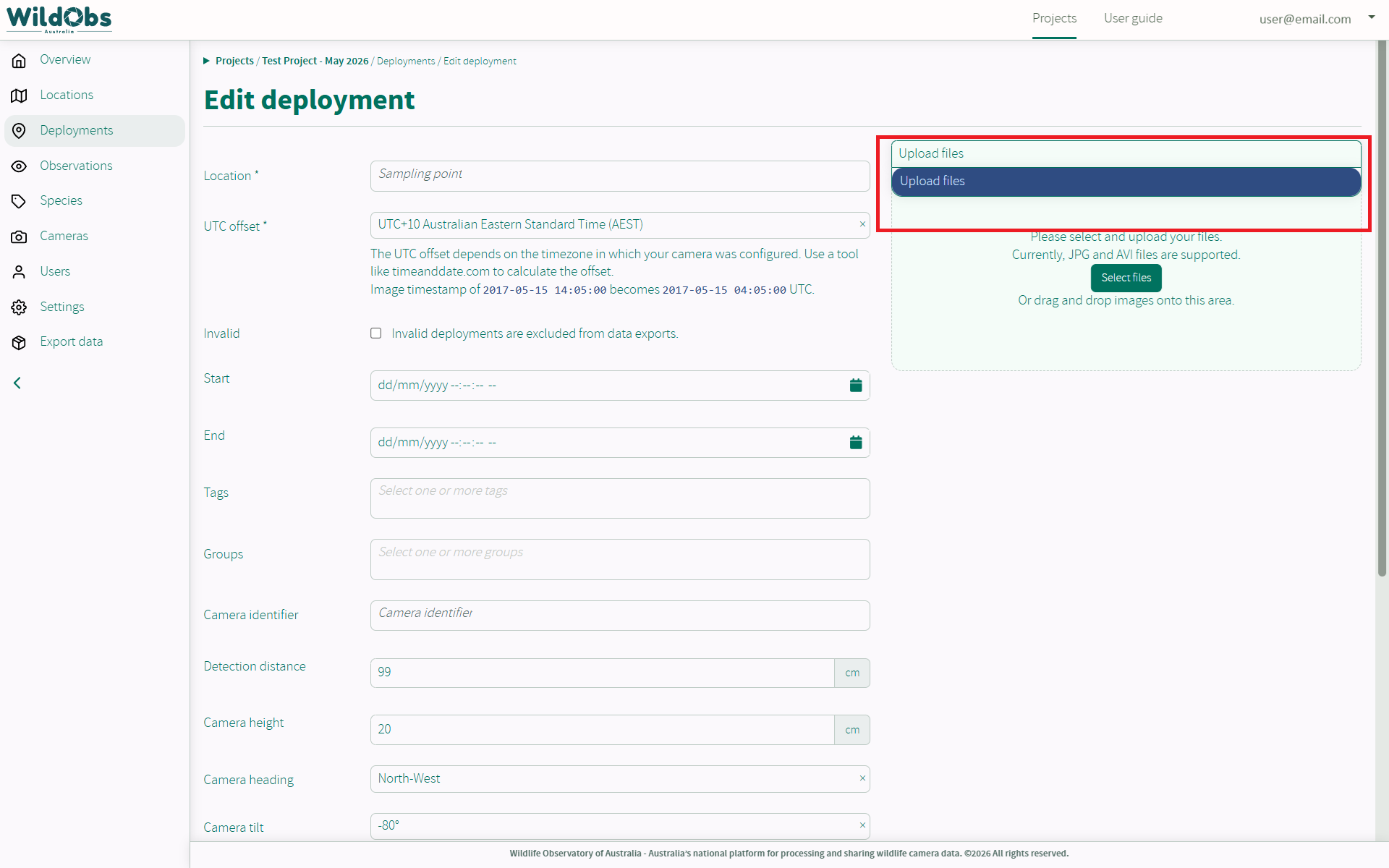
If "Upload directory" does not appear as an option, the following issues could be the reason:
- Nextcloud uploads have not been enabled per step 4 of Upload images using Nextcloud.
- Check settings for the project to ensure "Nextcloud uploads enabled" is switched on.
- The folder of media added to your Nextcloud account has not finished uploading/syncing.
- If using the Nextcloud desktop client, select "Sync now" on the interface and wait for "All synced" to appear before trying again.
- If using the Nextcloud web client, check that progress bars have disappeared and all files appear in the selected folder.
- The folder you are looking for has already been uploaded to a deployment and automatically deleted.
- All folders are deleted from Nextcloud as soon as they are uploaded to WildObs.
- Check that you have not already uploaded the folder to a different deployment.
- It is not recommended that media files are uploaded to a project more than once. To benchmark different AI annotation models on the same images, it is recommended that you create new projects for each AI annotation model.
- Your Nextcloud account has not connected to your WildObs account.
- This sometimes occurs if user account details have been overwritten by clicking "Create Nextcloud User" more than once at step 2 of Upload images using Nextcloud.
- This might also be the case if you have changed any of your WildObs Nextcloud account details via the browser login.
- If you suspect this has ocurred, please contact support@wildobs.org.au for the WildObs Admin team to reset or re-link your WildObs Nextcloud account to your WildObs Image Platform account.
Was this article helpful?
That’s Great!
Thank you for your feedback
Sorry! We couldn't be helpful
Thank you for your feedback
Feedback sent
We appreciate your effort and will try to fix the article